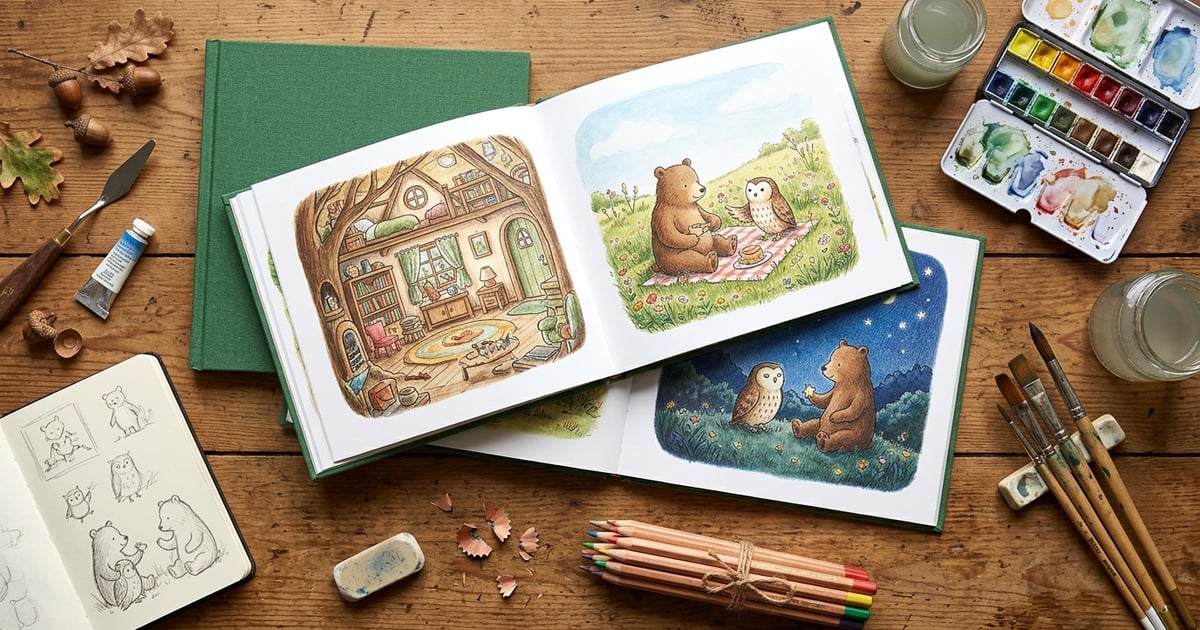
AI-generated children's books turn a photo of your child into a fully illustrated, personalized storybook in minutes. You upload a picture, choose a story theme and art style, and an AI engine handles the rest — writing the narrative, generating illustrations where your child is the main character, and assembling everything into a finished book you can read on screen or print at home.
The personalized children's book market hit $569 million in 2025 and is projected to reach $1.05 billion by 2031, growing at 9.2% annually. That growth is almost entirely driven by AI tools that collapsed the creation process from weeks of professional illustration work to a few minutes of clicking buttons. If you've been curious about making one for your kid, this guide covers everything you need to know — from how the technology works to which art style to pick to how much it actually costs.
Key Takeaways
- AI-generated children's books use character recognition and style transfer to create personalized illustrations from a single photo
- The entire process takes under 10 minutes — upload a photo, pick a story type and art style, and your book is ready
- Over 10 artistic styles are available, from watercolor to anime to storybook classic
- Photo quality matters — a clear, well-lit face photo produces the best character resemblance across every page
- Privacy-first platforms convert photos to text descriptions rather than feeding images directly into AI models
- Costs range from free (first story) to subscription plans under $10/month — far less than custom illustration commissions
What Are AI-Generated Children's Books?
An AI-generated children's book is a personalized storybook where artificial intelligence handles both the writing and the illustration. Unlike traditional personalized books — where you pick a pre-made template and swap in a name — AI-generated books create original stories and original artwork based on your inputs.
The "from photos" part is what makes them special. You upload a photo of your child, and the AI creates a character that looks like them. That character appears consistently across every page of the book, in whatever art style you choose. The result feels like a professionally illustrated children's book where your kid happens to be the hero.
This isn't the same as slapping a face onto a cartoon body. Modern AI book platforms analyze the child's features — hair color, skin tone, facial structure, eye shape — and generate entirely new illustrations that capture the likeness while fitting naturally into the chosen artistic style. A watercolor version of your daughter exploring a forest will look like a watercolor painting, not a photo filter.
The Technology Behind AI Children's Books
Three core technologies work together to make this possible: AI character recognition, style transfer, and text generation. Understanding how they interact helps you get better results.
AI Character Recognition
When you upload a photo, the platform needs to understand what your child looks like in a way that AI image generators can use. The most privacy-conscious approach — and the one that produces the most consistent results — converts the photo into a detailed text description. Hair color, length, and texture. Eye color and shape. Skin tone. Distinguishing features. That text description becomes the character blueprint for every illustration in the book.
This approach has a practical advantage beyond privacy: text descriptions are more stable than image-to-image techniques. When an AI generates page after page using the same character description, the child looks consistent throughout the story. Platforms that feed the photo directly into the image model often struggle with consistency — your child might have brown hair on page 3 and blonde hair on page 7.
Style Transfer
Style transfer is what makes a character look like a watercolor painting, a Disney-style cartoon, or an anime hero rather than a photorealistic image. The AI applies the visual characteristics of a chosen art style — brushstrokes, color palettes, lighting, line weight — to the generated illustrations while preserving the character's features.
Different styles suit different story types. Soft watercolors work beautifully for bedtime stories. Bold cartoon styles pop for adventure tales. Storybook classic feels timeless for fairy tales. The best platforms offer 10 or more artistic styles, so you can match the visual tone to the story's mood.
Text Generation
The AI writes the story itself based on parameters you set: the child's name and age, the story type (adventure, bedtime, fairy tale, educational), the theme or moral, and any specific elements you want included. Modern language models are remarkably good at producing age-appropriate narratives with proper story structure — beginning, rising action, climax, resolution.
The best stories come when you give the AI clear direction. "A bedtime story about Emma, age 4, who helps a lost baby owl find its mother in an enchanted forest, with a moral about kindness" will produce a much better result than "a story about Emma."
Step-by-Step Guide to Creating a Book with StoryPic
Here's exactly what the process looks like from start to finished book. The whole thing takes about 5 to 10 minutes.
Step 1: Upload Your Child's Photo
Start by uploading a clear photo of your child's face. Front-facing, well-lit photos work best — think school portrait rather than action shot at the park. The platform converts this photo into a character description that drives all the illustrations. You only need one photo, though uploading a second angle can improve accuracy for features like ear shape or hair length that might not be obvious from the front.
Step 2: Set Up the Character
Review the AI-generated character description and adjust if needed. You can add details like glasses, a favorite hat, or a beloved stuffed animal that should appear in the story. If you're including siblings, friends, or pets, add their photos and descriptions too — StoryPic supports multiple characters in a single story.
Step 3: Choose Your Story Type and Theme
Pick the kind of story you want. Adventure stories send your child on quests and missions. Bedtime stories have calming arcs designed to wind down. Fairy tales bring magical elements and classic narrative structures. Educational stories weave in lessons about sharing, courage, diversity, or whatever matters to your family. You can also set the story's setting, add a moral or lesson, and choose the approximate length.
Step 4: Select an Art Style
Browse through the available artistic styles and pick the one that fits your vision. Preview how your character looks in each style before committing. Watercolor is the most popular choice for younger children. Cartoon and anime styles are hits with older kids (ages 6 and above). Storybook classic is the go-to for gifts and keepsakes.
Step 5: Generate and Review
Hit generate and let the AI work. Within a few minutes, you'll have a complete book with story text and illustrations for every page. Read through it, check that the character looks right, and make sure the story flows well. Most platforms let you regenerate individual pages if something doesn't look right without redoing the whole book.
Step 6: Download or Share
Once you're happy, download your book as a PDF or read it directly in the app. You can share it with family members, read it aloud from a tablet at bedtime, or take the PDF to a print shop for a physical copy.
Ready to Create Your Child's Story?
Upload a photo and see the magic — your first story is free.
Create Your Story Free →Choosing the Right Art Style
Art style is the single biggest factor in how a finished book looks and feels. It's also the most personal choice — what delights one family might not work for another. Here's a quick guide to the most popular options.
Watercolor produces soft, warm illustrations with visible brushstrokes and gentle color blending. It's the most popular style for children's books because it feels handcrafted and approachable. Best for: bedtime stories, gift books, ages 2 to 6.
Cartoon delivers bold outlines, bright colors, and exaggerated expressions that kids love. Characters are expressive and dynamic, making it great for stories with lots of action or humor. Best for: adventure stories, funny stories, ages 3 to 8.
Anime brings the distinctive large-eyed, stylized look that older children often prefer. It works well for fantasy and adventure themes. Best for: quest stories, magical adventures, ages 6 to 12.
Storybook Classic mimics the look of traditional children's book illustrations — think the style you'd see in a bookstore. Rich colors, detailed backgrounds, classic proportions. Best for: fairy tales, keepsake gifts, all ages.
Pencil Sketch creates a hand-drawn look with visible pencil textures. It has an intimate, journaling quality that works well for quieter, more reflective stories. Best for: educational stories, personal journals, ages 4 to 10.
Explore all available options on the artistic styles page to see examples of each style applied to sample characters.
Story Types Explained
The story type determines the narrative arc, pacing, vocabulary level, and overall tone of your book. Picking the right type for the occasion makes a real difference in how much your child connects with it.
Adventure Stories
Your child goes on a mission — rescuing a friend, finding a hidden treasure, exploring an unknown land. Adventure stories have the most action, the highest stakes, and the most page-turning momentum. They're the type kids want to read over and over. Children read personalized books 3 to 5 times more often than generic ones, and adventure stories are the biggest driver of re-reads.
Bedtime Stories
Designed specifically for the wind-down routine. Bedtime stories use calming language, gentle narrative arcs, and soothing imagery. The pacing slows deliberately toward the end, and the resolution always feels safe and peaceful. If bedtime is a battle in your house, a personalized bedtime story where your child is the character can transform the routine.
Fairy Tales
Classic story structures with magical elements — enchanted forests, talking animals, wishes granted, lessons learned. Fairy tales work across all ages because the structure is so familiar and satisfying. They're also the best type for gifts, since the timeless quality gives them keepsake value.
Educational Stories
Stories that teach a concept or value while entertaining. The best educational stories weave the lesson into the narrative naturally rather than lecturing. Common themes include sharing, courage, handling emotions, environmental awareness, and celebrating differences. Teachers and parents especially value these for addressing specific developmental moments — a new sibling, starting school, making friends.
Tips for Getting the Best Results
After creating dozens of AI-generated children's books, these are the tips that make the biggest difference in quality.
Photo Quality Matters More Than You Think
The single biggest factor in character accuracy is your source photo. Use a recent photo with good lighting where your child's face is clearly visible and facing the camera. Natural daylight works better than flash. Avoid sunglasses, heavy shadows, or photos where the face is partially obscured. A simple smartphone portrait in front of a window is usually ideal.
Be Specific With Your Story Prompt
Vague prompts produce generic stories. Instead of "an adventure story," try "an adventure where Liam, age 5, discovers a secret door in his grandmother's garden that leads to a world where animals can talk, and he helps a shy turtle find its voice." The more detail you give the AI, the more unique and engaging the story will be.
Match the Art Style to the Story Mood
A spooky Halloween adventure works better in a bold cartoon style than soft watercolor. A lullaby story works better in watercolor than anime. Think about the emotional tone you want and choose the style that reinforces it.
Consider Your Child's Age
For toddlers (ages 2 to 3), keep stories short with simple vocabulary, large illustrations, and lots of repetition. For preschoolers (ages 3 to 5), you can introduce slightly more complex plots and vocabulary. For early readers (ages 5 to 8), longer stories with chapter-like sections work well. For older kids (ages 8 to 12), anime or sketch styles often resonate better than "little kid" watercolors.
Use Multiple Characters Wisely
Adding siblings or friends to a story is wonderful for inclusion, but more characters means more complexity for the AI. Two to three characters is the sweet spot. If you have a large family, consider making separate stories where different children take turns being the lead character.
Printing and Sharing Options
Once your book is generated, you have several options for getting it into your child's hands.
Digital reading is the simplest. Read directly from a tablet or phone during story time. Most kids are comfortable with screens, and the illustrations look gorgeous on high-resolution displays. You can share the book link with grandparents and relatives so they can read it too.
PDF download gives you a file you can keep forever and print whenever you want. This is the most flexible option — you own the file and can do whatever you like with it.
Home printing works surprisingly well if you have a decent color printer. Use heavy-weight matte paper for the best results. Print double-sided, fold, and staple for a quick DIY booklet. It won't be bookstore quality, but kids don't care — they care that they're the hero.
Professional printing through services like Lulu, Blurb, or a local print shop gives you a hardcover or softcover book that looks and feels professional. Upload your PDF, choose your binding and paper type, and you'll have a real book in your hands within a week. Costs typically run $15 to $30 depending on page count and binding.
Safety and Privacy Considerations
When you're uploading photos of children to any online platform, safety and privacy are non-negotiable concerns. Here's what to look for and what to ask.
Photo Data Handling
The most important question: what happens to your child's photo after upload? The gold standard is platforms that convert the photo to a text description and then delete the original image. This means the actual photo never reaches the AI image generation model — only a text description of features like "brown curly hair, green eyes, light skin" is used. StoryPic uses this approach, which means your child's photo is never stored in or processed by the illustration engine.
AI Training Policies
Some platforms use uploaded content (photos, stories) to train their AI models. This means your child's likeness could theoretically influence future outputs for other users. Look for platforms with clear policies stating that user content is not used for model training. Read the terms of service — specifically the sections on data usage and intellectual property.
Content Moderation
AI-generated content needs guardrails. Reputable platforms have content filters that prevent inappropriate text or imagery from appearing in children's books. This includes both the story text (ensuring age-appropriate language and themes) and the illustrations (ensuring appropriate imagery). Ask yourself: does this platform have visible content safety measures?
For a deeper look at how StoryPic handles these concerns, visit the child safety page.
What Does It Cost?
AI-generated children's books are dramatically cheaper than traditional custom-illustrated books, which typically start at $500 for a professional illustrator and can easily reach $2,000 or more.
Free options — Many platforms offer a free first story so you can try before buying. StoryPic's first story is completely free with no credit card required.
Subscription plans — Monthly subscriptions typically run $7.99 to $12.99 per month for unlimited story creation. This is the best value if you plan to make multiple books.
Per-book pricing — Some platforms charge per book, usually $4.99 to $9.99 for a digital download.
Physical printing — If you want a printed book, add $15 to $30 for print-on-demand through a service like Lulu or Blurb, or $30 to $55 if ordering directly from a platform that offers integrated printing.
For detailed pricing on StoryPic, check the pricing page.
How AI Children's Books Compare to Traditional Options
The question isn't really "AI vs. traditional" — it's about what fits your situation.
| Factor | AI-Generated Book | Traditional Personalized Book | Custom Illustrated Book |
|---|---|---|---|
| Creation time | 5–10 minutes | 5–15 minutes (template) | 4–12 weeks |
| Cost | Free to $12.99/mo | $25–$55 per book | $500–$2,000+ |
| Character accuracy | High (photo-based) | Low (avatar/template) | Very high (hand-drawn) |
| Story originality | Unique each time | Template with name swap | Fully custom |
| Art style options | 10+ styles | 1 per template | 1 (artist's style) |
| Reusability | Unlimited new stories | One book per purchase | One book per commission |
AI-generated books win on speed, cost, and variety. Traditional personalized books (like Wonderbly or Hooray Heroes) win on physical book quality. Custom-illustrated books win on pure artistic quality but at a price point and timeline that doesn't work for casual use. For most families, AI-generated books hit the sweet spot — you can make a new story every week without spending more than the cost of a streaming subscription.
Related Reading
This guide covers the big picture. For specific topics, check out these deep dives:
- How to Make a Children's Book from a Photo with AI — a focused, step-by-step walkthrough of the creation process
- 7 Best AI Children's Book Makers with Photo Upload [2026] — platform comparison with pricing, pros/cons, and recommendations
- Are AI Children's Books Good for Kids? — research-backed look at the educational and developmental impact
Ready to Create Your Child's Story?
Upload a photo and see the magic — your first story is free.
Create Your Story Free →Frequently Asked Questions
How long does it take to create an AI-generated children's book?
Most platforms generate a complete book in 5 to 10 minutes. The active work on your end — uploading a photo, choosing options, and reviewing the result — takes about 5 minutes. The AI generation itself takes another 2 to 5 minutes depending on the platform and book length. Compare that to 4 to 12 weeks for a traditionally illustrated custom book, and you can see why AI-generated books have exploded in popularity.
Are the illustrations really personalized, or do they just paste my child's face on a template?
Modern AI book platforms generate entirely new illustrations — they don't cut and paste faces. The AI analyzes your child's features from the uploaded photo, creates a character model based on those features, and then generates original artwork in your chosen style. The character is drawn from scratch for each scene, which is why the illustrations look natural and stylistically consistent rather than like awkward photo manipulations. The quality gap between today's AI illustrations and the early "face-swap" tools is enormous.
Can I create books in languages other than English?
Many AI book platforms support multiple languages. StoryPic currently supports story generation in English, Spanish, French, and Romanian. The AI generates both the story text and any in-illustration text in your chosen language. This makes AI-generated books particularly valuable for bilingual families or parents who want their children exposed to their heritage language through engaging, personalized content.
What happens to my child's photo after I upload it?
This varies significantly by platform, which is why reading privacy policies matters. Privacy-first platforms like StoryPic convert the uploaded photo into a text-based character description and do not retain the original image in their AI pipeline. The photo is used only to generate the description and is not fed into any AI training data. Other platforms may store photos longer or use them for model improvement. Always check the platform's privacy policy and child safety practices before uploading.
Can I print the book as a physical hardcover?
Yes, though the path depends on your platform. Some platforms (like Wonderbly and Magic Story) offer integrated printing and shipping. Others, including StoryPic, provide PDF downloads that you can take to any print-on-demand service. Services like Lulu and Blurb let you upload a PDF and order professional-quality hardcover or softcover books, typically for $15 to $30. Many local print shops can also produce a bound book from a PDF file. The print-on-demand route often gives you more control over paper quality and binding type than integrated platform printing.
Ready to Create Your Child's Story?
Upload a photo and see the magic — your first story is free.
Create Your Story Free →